Forward important email to the device you check first
Move important email from your main address to the phone, tablet, or laptop you actually watch. Mobile Transfer keeps forwarding rules simple, lets you stay responsive while away from your desk, and gives you a clear path to support when routing needs attention.
- Forward selected mail to the device you use most
- Keep reply handling organized around your main mailbox
- Adjust schedules, filters, and escalation rules as needs change

Forward only what matters
Send high-priority messages, alerts, or selected sender traffic to the mobile device you check first instead of forwarding every mailbox item blindly.
For broader planning context, teams can compare guidance from web.dev guidance before choosing a workflow.
Stay responsive on the move
Use Mobile Transfer as a bridge between your primary email address and the devices you carry through the day so urgent conversations do not stall.
Control the flow
Update rules, pause delivery windows, and review routing behavior when business hours, staffing, or personal availability changes.
How the service fits a working mailbox
- Choose the mailbox or address you want to monitor.
- Set the destination device or secondary address that should receive mobile notices.
- Define which messages should move immediately and which can wait for office review.
- Use the support page whenever you need help with filters, replies, or delivery questions.
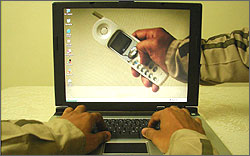

Useful for individuals, field teams, and shared inboxes
Mobile Transfer works best when speed matters but a full mailbox migration would be overkill. Teams can use it to keep duty phones informed, solo professionals can keep client mail visible while traveling, and shared operations inboxes can route alerts to the right person faster.
Related implementation details are also covered in MDN Web Docs, which helps keep tool decisions grounded in established practices.
If your organization also needs an internal admin portal, a lightweight web app generator can help prototype routing dashboards, while custom web development services are useful when mailbox rules need to connect with ticketing, CRM, or internal operations tools.
Frequently asked questions
Can I route only selected messages?
Yes. Mobile Transfer is meant for practical forwarding rules, not a one-size-fits-all mailbox dump.
Can the service help shared business inboxes?
Yes. It is well suited to alert routing, escalation notices, and quick-response mailboxes where at least one person needs to see messages quickly.
What if replies are not behaving the way I expect?
Use Support for reply-path questions, sender identity issues, or device-specific setup checks.
Where do I start?
Start with the Mobile Transfer page for feature detail, then send requirements through Contact.
Need a cleaner path from inbox to mobile device?
Email [email protected] with your mailbox setup, intended forwarding destination, and the kind of messages you want prioritized.